


I am currently experiencing several bugs with the post reaction and sorting features within the Community Section of the Olight app.
1. Post Reaction Issues
When I navigate to different sections of the app, including Outdoors, Work and Duty, Collectors Club, EDC, and others, the area where I would normally click to Like, Love, or select another reaction is sometimes greyed out and unavailable.
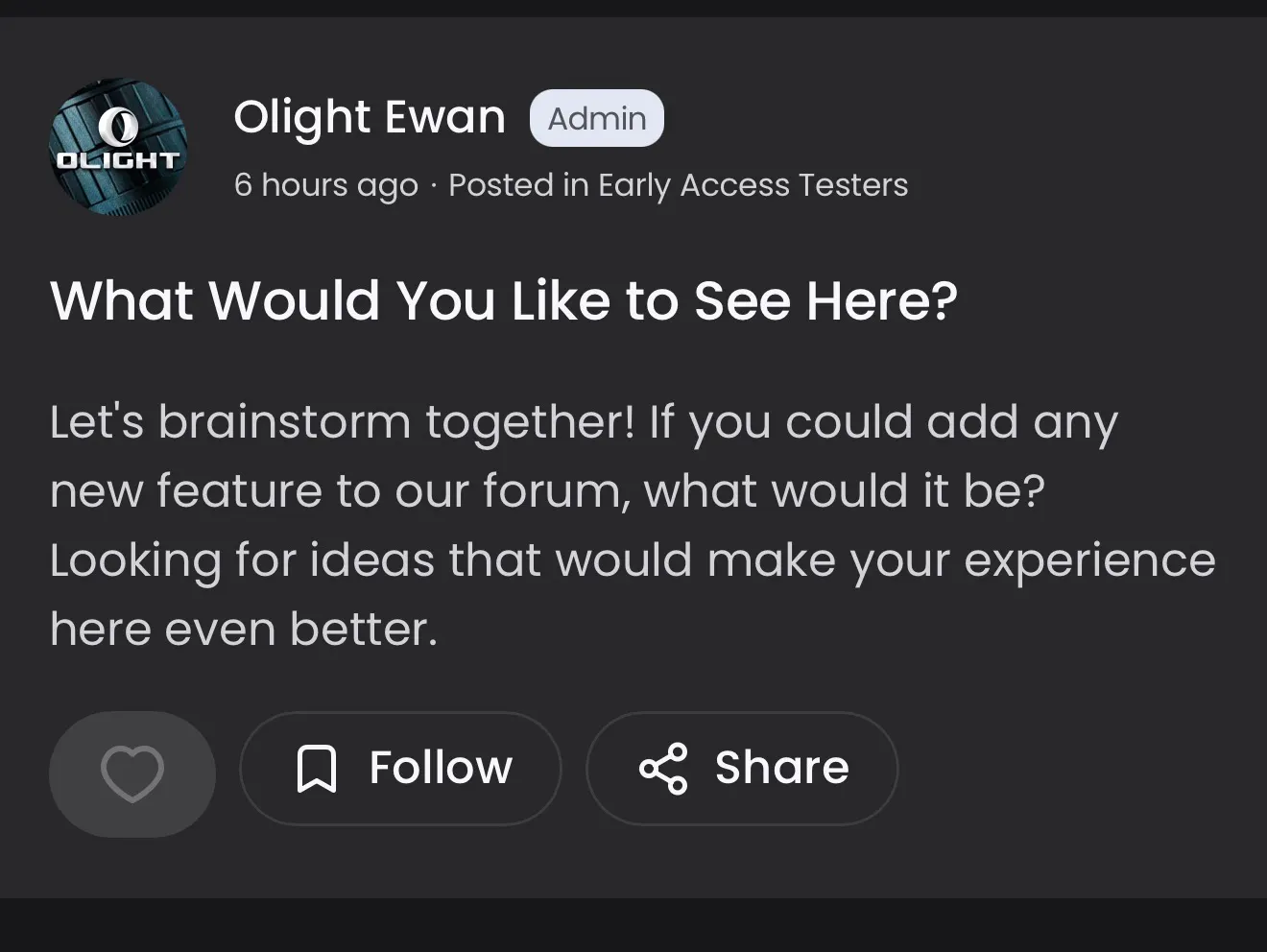
On my end, I am completely unable to Like, Love, or Celebrate, any posts in the Outdoor Adventure, CORE, Early Access, and Work and Duty sections because the reaction area is greyed out and cannot be selected.
However, in other sections, such as EDC, Owners Club, and Collectors Club, I am able to select Like, Love, or another reaction, but my selection does not save or register.
I’ve tested this on several posts in the three sections mentioned above and tried to select both Like, Love or a different reaction, but the reactions don’t seem to be saving.
For example, in EDC, I selected the heart/Love or Like reaction on both James Partin’s and Brittany Marie’s posts. However, when I click on the reaction count on the left to view the breakdown of how people reacted, my reaction is not registered.
2. “Recent” Post vs “For You” Sorting Issue
There is also an issue with the post-sorting feature.
When I click “For You” and then select “Recent,” the feed does not actually update or filter the posts to display the most recent content. If I select the “Recent” option again, the posts still remain unchanged.
The expected behavior would be for the “Recent” option to sort the feed chronologically, with the newest posts appearing first, similar to how the sorting feature works on platforms such as Reddit or Facebook.
Another idea or feature suggestion, is to add another tab for “Posts Missed.” For users who visit the app frequently, this tab placed adjacent to either “For You” and “Recent” could display posts a user has not yet viewed or posts that were published since their last visit. This would make it much easier to keep up with community activity without having to scroll through the entire feed to determine what is new or what they may have missed.
I think this could become even more beneficial as the Olight community continues to grow and more people are posting regularly.
Why I’m suggesting it? I’ve noticed a similar issue on Facebook, where posts that are several days old, or sometimes nearly a week old, can occasionally appear in my feed for the first time. Having a dedicated tab for “Posts Missed” or similar sorting option, it could help ensure that users have an easier way to find content they haven’t seen yet, rather than relying entirely on the algorithm to determine what appears in their feed.
3. Tagging Issue
There also appears to be a bug when adding tags to a post. I believe I reported this previously but it’s still doing it.
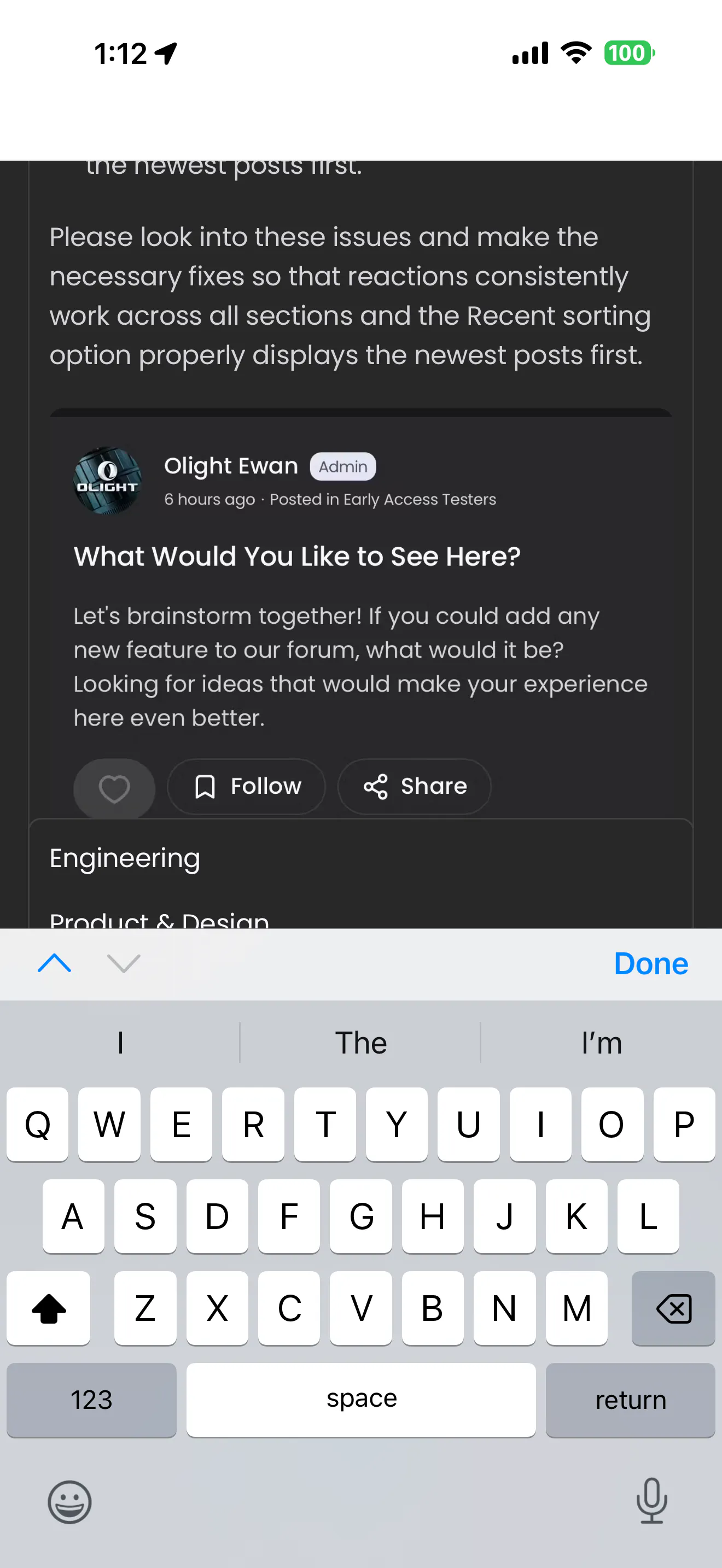
When I go to add tags, the screen rolls up, which makes it difficult or impossible to see what I am typing. It also prevents me from properly seeing the tags that have already been created or are available for selection.
The tagging interface should remain visible while entering or selecting tags so that users can clearly see either what they are typing or which existing tags are already available.
Summary/Recap:
The three main issues I am experiencing are:
Post Reactions (👍, ❤️, 🎉, 💯):
In some sections, the reaction buttons are greyed out and cannot be selected. In other sections, reactions can be selected, but the selection does not save or register. I’ve attempted to include a picture showing the reaction area when it is greyed out. The photo below (if it posts) shows how you can’t select a reaction
Recent Sorting:
Selecting “Recent” does not actually filter or reorder the feed to show the newest posts first.
Tags:
The screen shifts upward when adding tags, making it difficult to see what is being typed and preventing users from easily viewing or selecting existing tags. The photo below (if it posts) shows how the tag area is not visible
Please look into these issues and make the necessary fixes so that reactions consistently work across all Community sections, the “Recent” sorting option properly displays the newest posts first, and the tagging interface functions correctly. Hopefully this was posted to the correct area in the app, and my apologies it’s lengthy and detailed. 🙃
Thanks in advance!! 🔦😊